- Mobile Proxies All proxies are mobile, clean, anonymous, and highly trustworthy.
- For software Mobile proxies can be used in any software; below you'll find the most popular ones.SMM and Automation
- For social media













Sign in
CityWalk IP Rotation — is an additional mode of rotating mobile IP addresses within a single city. It complements the main proxy rotation and allows changing IPs between different urban zones, for example between districts where different mobile towers are located. This mode helps to maintain a logical and stable geolocation of the connection, but without staying on the same IP all the time. Location changes within the city can occur automatically on a timer, or manually from your account.
CityWalk IP Rotation helps imitate a more realistic behavior of a mobile user moving within a single city. Technically this works like this: when requesting a new IP, the system switches your session to another mobile modem connected to the operator's network within the same city. As a result the IP address changes, but the geolocation remains aligned and does not create an effect of abrupt movement.
Note: CityWalk IP Rotation is not available on all proxies. If the feature is supported for your proxy, it can be enabled and configured in the rotation settings.
CityWalk IP Rotation is not available on all proxies. To make it easier to find proxies with this feature, enable the CityWalk IP selector in the catalog.
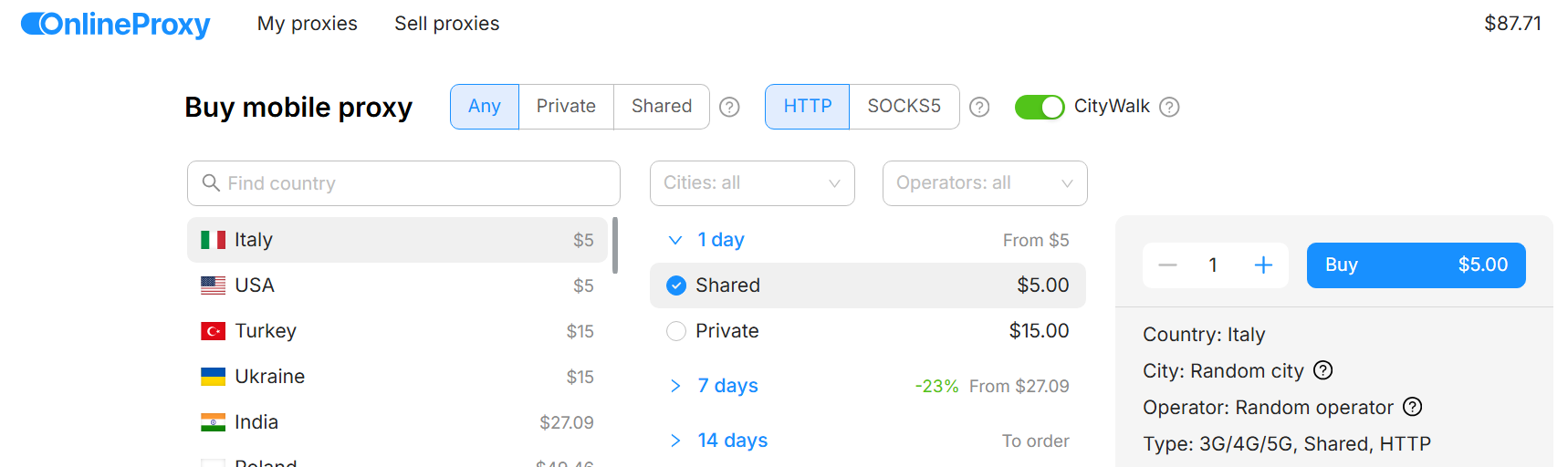
Note: replacing the device (proxy) with such a feature may be limited.
After purchasing a proxy with the feature of changing location within the city, go to the list of purchased proxies and select the required proxy.
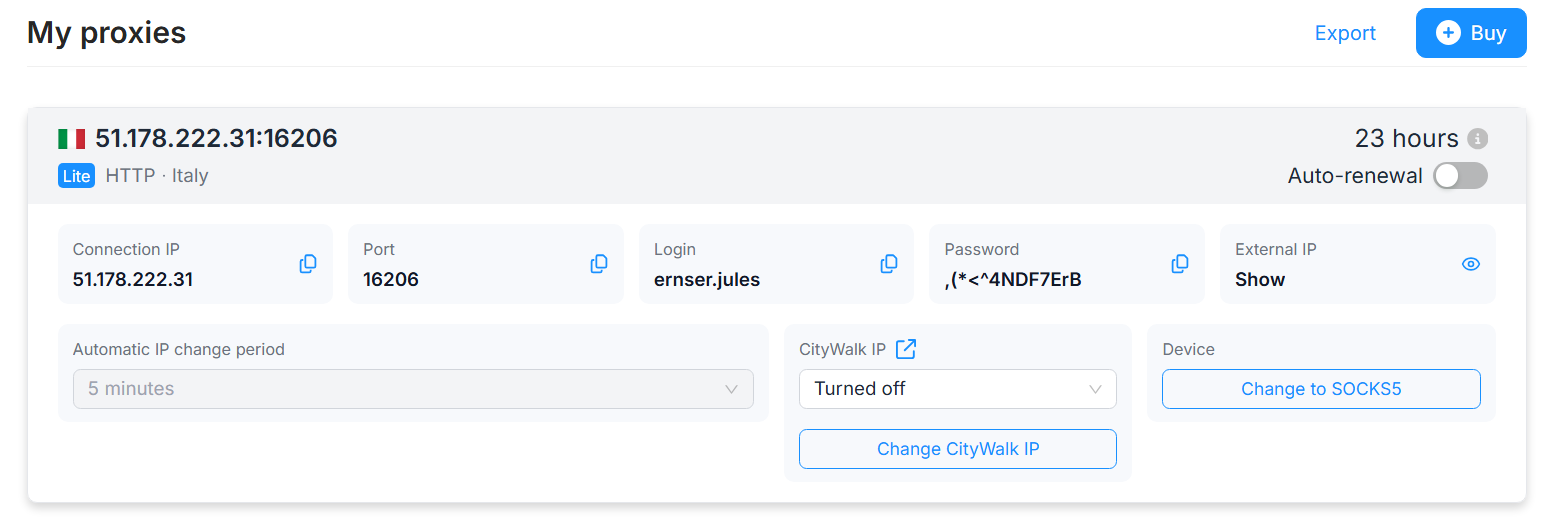
In the "CityWalk IP" block you will find the controls for the feature. By default the feature is off. The location can be changed manually using the "Change CityWalk IP" button or set a change timer to 2, 8, 12 or 24 hours. This automatic change frequency is chosen for greater realism. You cannot physically move within the city instantly. However, in manual mode via the button you can change the location within the city every 3 minutes.
The location inside the city when changing is chosen randomly. The number of locations in each city varies. Some have only 3, some 10. Therefore, locations during a change may repeat (the IPs will be different).
These are independent IP changes. One of them can be disabled or both at once. The only restriction is that you cannot immediately change the IP by the regular method and via CityWalk IP; there must be a 3-minute pause between them.