- All proxies are mobile, clean, anonymous, and highly trustworthy.
- Mobile proxies can be used in any software; below you'll find the most popular ones.













Octo Browser: Professional Multi-Accounting and Fingerprint Protection
- Seo Za
- 2 minutes
Octo Browser is a high-end antidetect solution designed to provide total anonymity at a technical level by masking your digital fingerprint. It is ideal for affiliate marketers, crypto traders, and anyone who values privacy while managing multiple independent accounts.Workspace and Performance
The Octo Browser interface is optimized for speed, which is critical for both solo users and large-scale teams
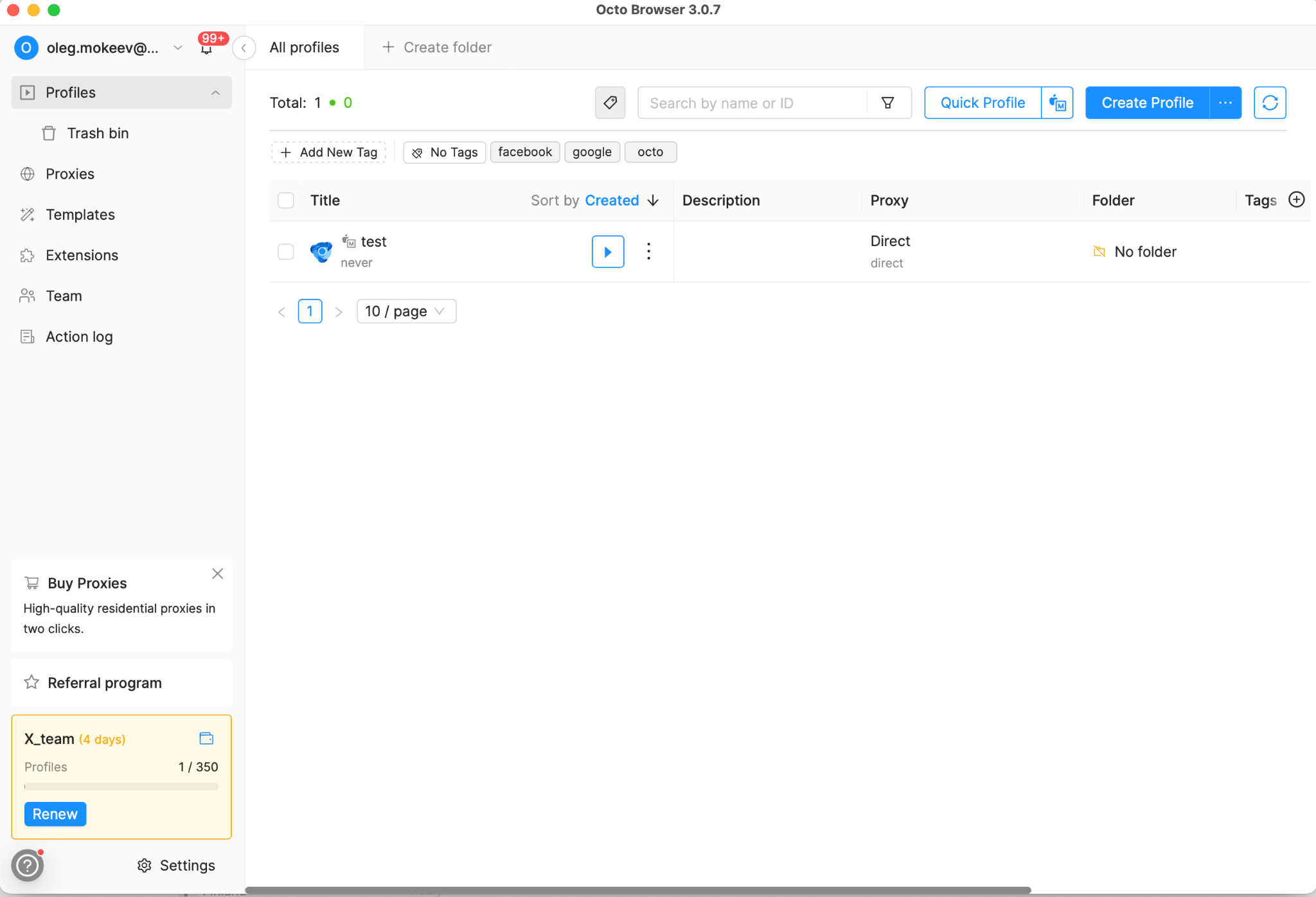
- One-Click Profile Creation: Quickly generate a profile with a randomized, high-quality fingerprint.
- Organization: Use tags and folders to manage hundreds of accounts without confusion.
- Chromium-Based: Built on a custom-modified Chromium core, ensuring maximum website compatibility and low resource consumption.
- Bulk Actions: Start, stop, or edit multiple profiles simultaneously to save time.
Core Features and Digital Fingerprint Spoofing
The primary advantage of Octo Browser is its ability to handle Real Fingerprints. Unlike basic proxies, Octo modifies every parameter that websites use to identify you.
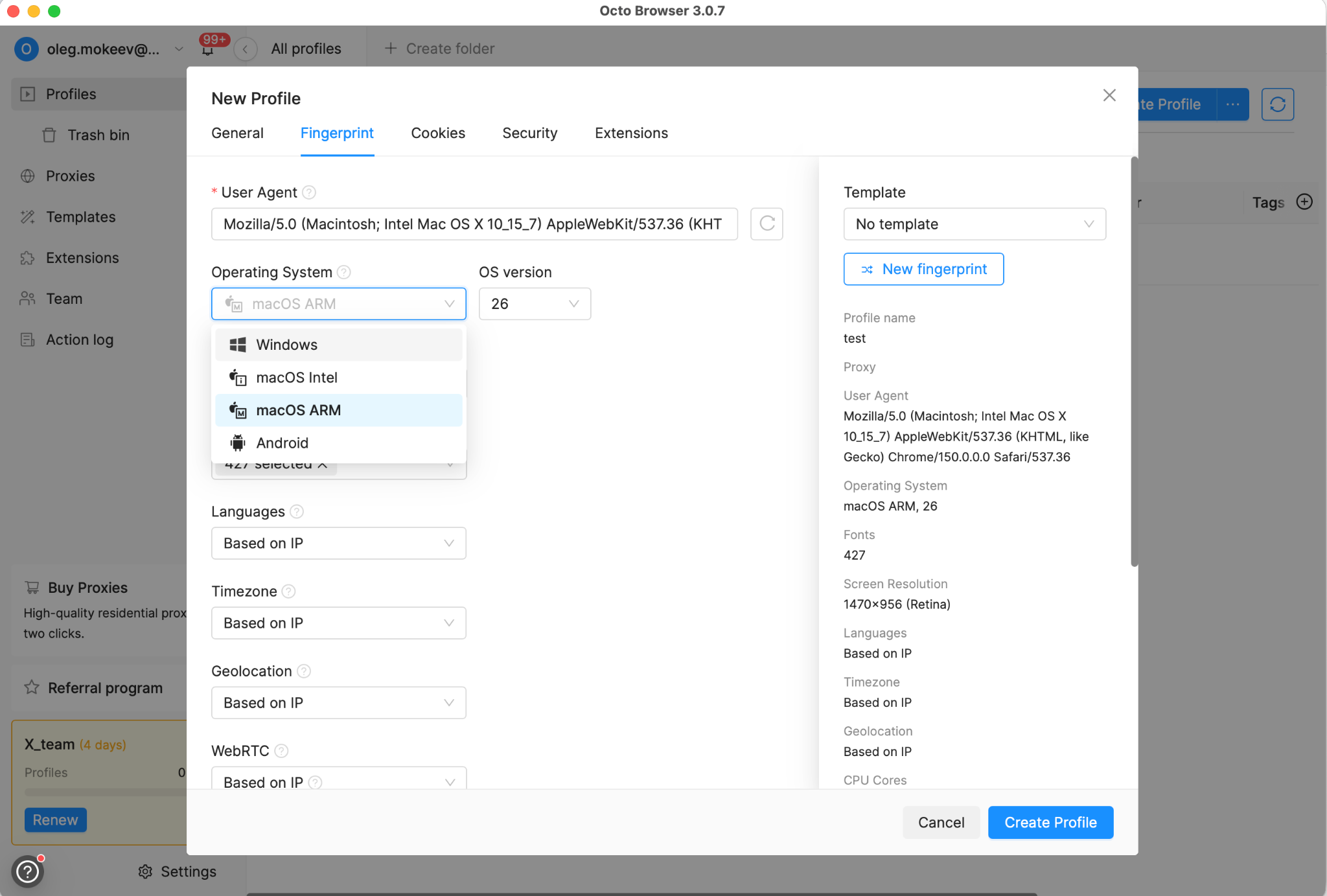
- Hardware Spoofing: GPU (WebGL), CPU cores, and RAM volume.
- Software Parameters: User-Agent, HTTP headers, and browser version.
- System Settings: Timezone, geolocation, and languages are automatically synchronized based on your proxy data.
This creates a completely separate digital identity for every profile, preventing the risk of "cross-profiling" or account bans.
Connecting OnlineProxy.io Step by Step
To achieve maximum security, you should pair Octo Browser with high-quality mobile proxies from OnlineProxy.io.
- Get your proxy: Purchase a proxy from OnlineProxy.io and copy the credentials.
- Proxies Tab: In Octo Browser, navigate to the Proxies section.
- Quick Add: Click Add Proxy and paste your data in the format IP:Port:Login:Password.
- Check Connection: Use the built-in checker to confirm that the IP and location are active.
- Assign: Attach the proxy to your chosen profile. Octo will automatically sync your profile’s timezone and geo-data to the proxy’s location.
Precise Pricing Plans
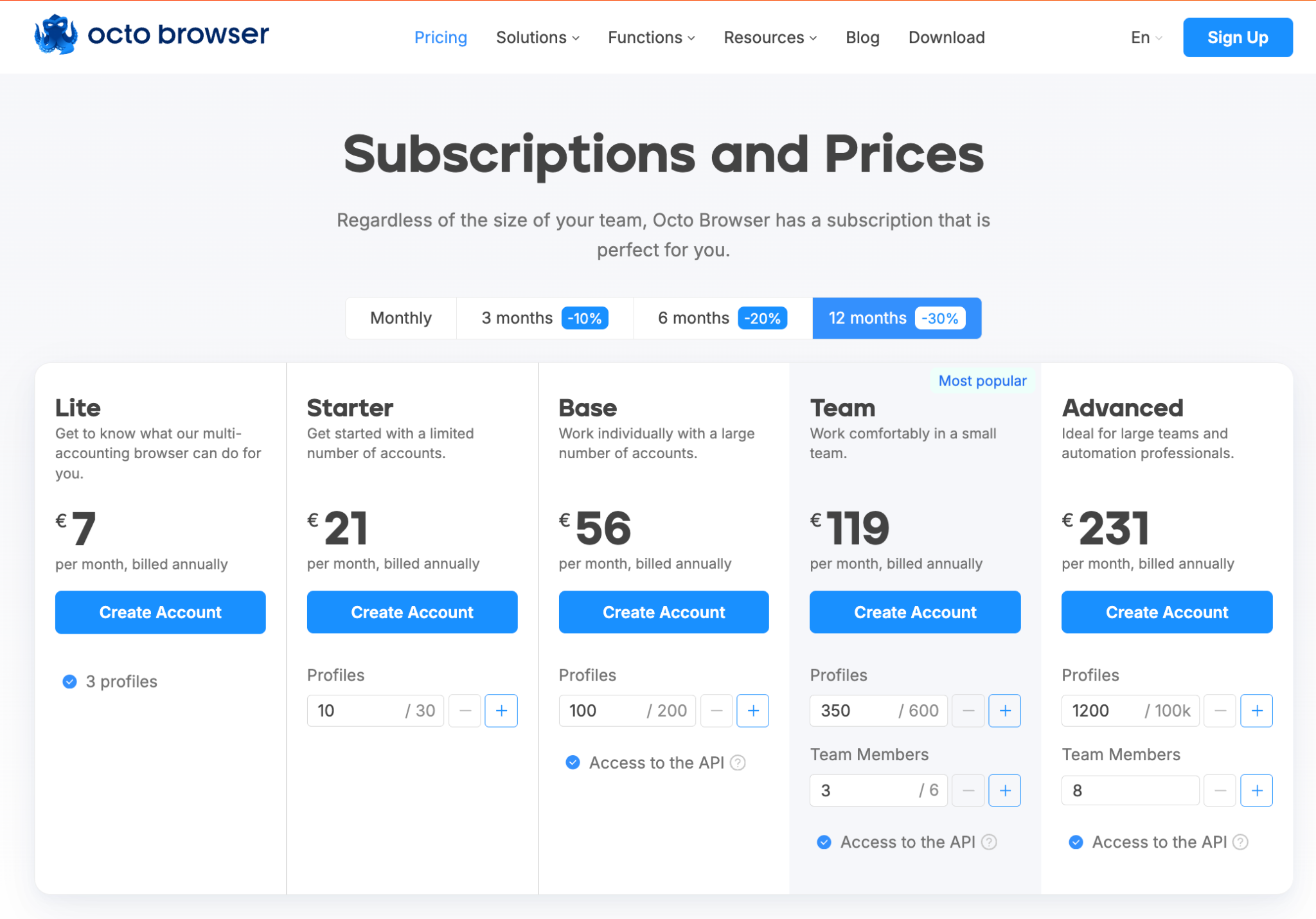
Octo Browser offers flexible tiers to scale with your business. By choosing annual billing, you can save 30%.Note: Discounts are also available for 3-month (10%) and 6-month (20%) subscriptions.
Why Use Octo Browser Instead of Free Proxies?
Free services like Proxyium are useful for basic tasks, but they have major drawbacks:
- Low Anonymity: They don’t mask fingerprints, making you easily detectable by Google or Facebook.
- Speed Limits: Free servers are often overloaded and slow.
- No DPI Bypass: They cannot bypass Deep Packet Inspection used by advanced firewalls.
Octo Browser solves these issues by combining fingerprint masking with high-speed, dedicated proxy support.
Conclusion
Octo Browser provides the ultimate environment for safe multi-accounting. By combining advanced fingerprint spoofing with trusted mobile proxies from OnlineProxy.io, you gain a professional-grade toolset that ensures stability and privacy across any platform